

The best Google Ad Grants tools are built around the program’s particular needs: account audits, compliance monitoring, grant performance reports and campaigns for nonprofit goals. General Google Ads utilities remain useful, but they are not substitutes for a product designed specifically for Ad Grants.
The free Ad Grants Toolkit is a strong starting point for nonprofits that want grant-specific audits and reports without a subscription. Other dedicated options include GrantMax, Ad Grants Pilot, Advocads and GrantOperator. The right choice depends on whether the organization needs clearer information, recurring monitoring, campaign creation or help implementing changes.
This guide compares those five specialist products. Generic tools such as Ads Editor and GA4 appear only in a short supporting section. Recommendations reflect published capabilities and fit, not a side-by-side account test or a claim that one platform produces the best results for every nonprofit.
Ad Grants-specific tools at a glance
| Tool | Published price | Main role | Who makes account changes? |
|---|---|---|---|
| Ad Grants Toolkit | Free | Ad Grants audit, performance reports and account-based AI prompts | The account manager; the toolkit does not change campaigns |
| GrantMax | Free tier; Professional $49/month, or $408/year | Compliance audits and paid monitoring, analysis and action tracking | The account manager; read-only product |
| Ad Grants Pilot | Limited free tier; Premium $199/month for nonprofits | Campaign building, publishing and reporting | Publishing is available through the paid platform |
| Advocads | Starter $79, Growth $149, Pro $299/month | Recurring audits, monitoring and implementation-ready recommendations | The customer on Starter/Growth; the team applies approved changes on Pro |
| GrantOperator | Co-Pilot advertised at $99/month | AI recommendations with an approval-and-application workflow | The platform advertises applying approved changes |
Prices use the providers’ displayed currencies. GrantMax’s annual price is equivalent to $34/month but requires annual billing; it is not the monthly payment option. Trials, ongoing free tiers and paid subscriptions are different offers. Software fees are separate from the Ad Grant’s advertising credit.
The specialist tools compared
Ad Grants Toolkit
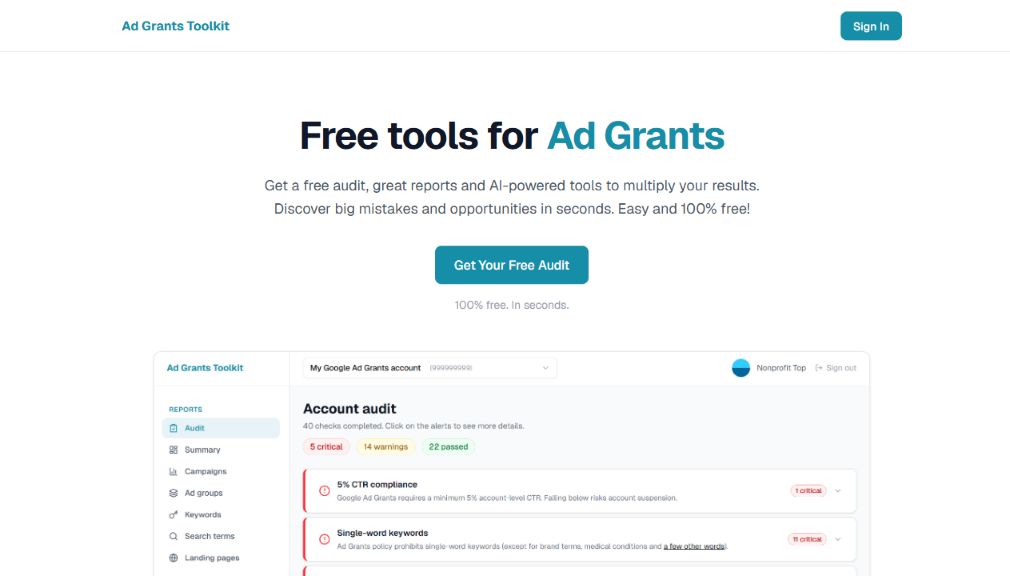
Best fit: Small nonprofits, volunteers and in-house managers who want a free account review and useful reports while retaining responsibility for their campaigns.
The Ad Grants Toolkit combines an automated audit with campaign, ad group, keyword, search-term and landing-page reports. Its published feature set includes 50 automated checks covering compliance risks, performance and best practices. AI tools prepare prompts using account data to help explore strategy, campaign ideas and negative keywords.
Its appeal is the combination of grant-specific diagnostics and reporting without a paid subscription. A manager can use the findings to decide what to investigate instead of working through the Google Ads interface without a clear starting point.
Price: All current tools are free. The publisher notes that additional paid features may be introduced later.
What to clarify: The toolkit identifies issues; it does not implement changes or supply a dedicated account manager. Its AI features generate prompts, not autonomous decisions. Check which findings apply to the campaigns in use and test important conversion actions separately. An automated review cannot guarantee compliance or verify every step of a donation journey.
For teams that want practical instruction alongside the software, NonProfit Top offers an online Ad Grants course and consulting services. Neither is required to use the free toolkit.
GrantMax
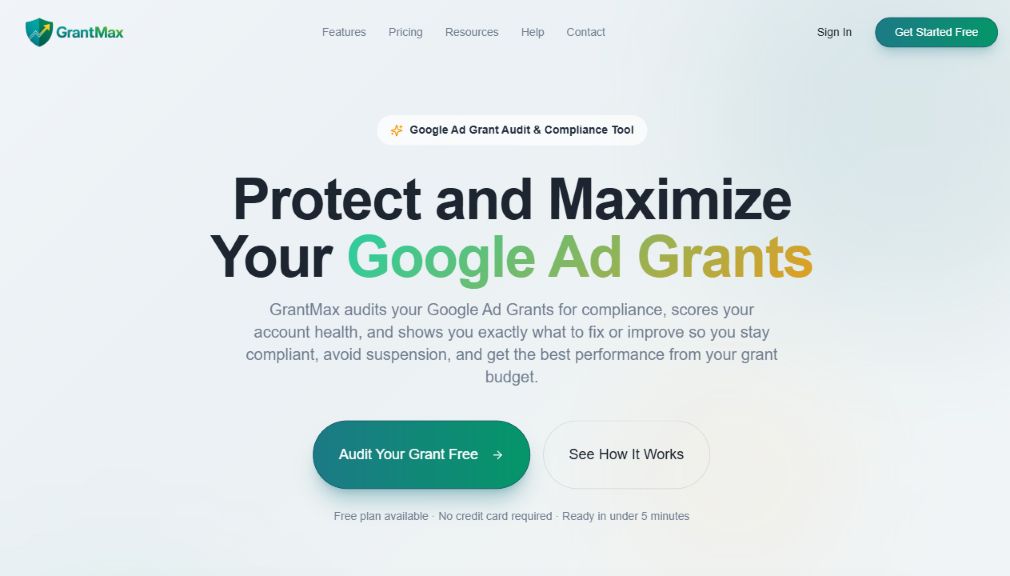
Best fit: Managers who want an audit-led workflow and may pay for monitoring and a structured list of fixes.
GrantMax offers a free one-account tier with compliance and website checks, an account-health score, grant-utilization information and basic recommendations. Professional adds deeper analysis, daily monitoring, alerts, PDF reporting and an Action Hub for recording fixes and notes.
Price: Professional is $49/month when paid monthly, or $408/year. The free tier is distinct from the trial of paid features.
What to clarify: The product describes its access as read-only: following the guided steps is still the manager’s responsibility. Confirm additional-account charges and which analyses run daily versus monthly. A health score is a diagnostic indicator, not a Google-issued compliance certificate.
Ad Grants Pilot
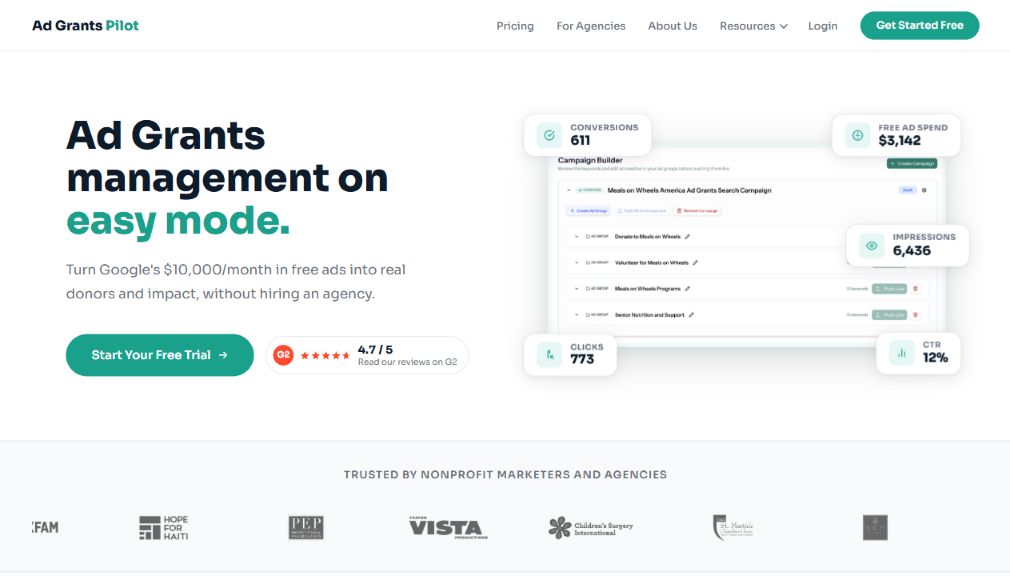
Best fit: Nonprofits seeking a campaign-building and publishing workflow rather than an audit alone.
Ad Grants Pilot advertises AI-assisted campaign creation, conversion-tracking setup, reporting and customer support. Its plan and sign-up guide distinguishes a free planning tier from Premium. Free users can research keywords, structure ad groups and generate copy; live publishing, Performance Max and advanced reporting require Premium.
Price: $199/month for individual nonprofits after a 30-day Premium trial. Agency pricing is a separate offer.
What to clarify: Ask which conversion events the included setup covers, which changes require approval and what remains accessible after cancellation. Confirm support for the campaign types and settings the organization needs. Review generated copy and targeting before publishing: a convenient build process does not establish that the campaign is strategically appropriate.
Advocads
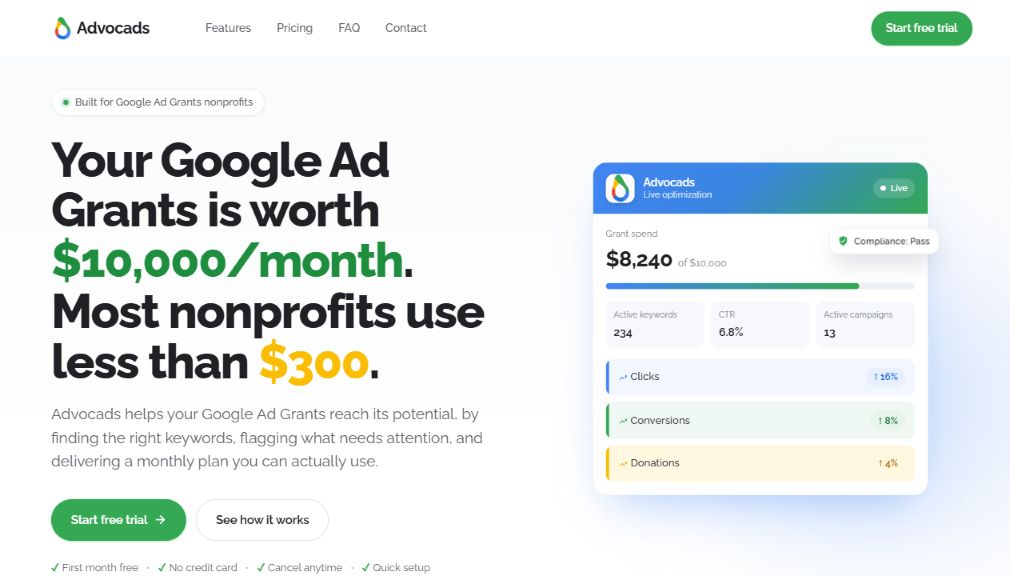
Best fit: Teams that want recurring recommendations, with a choice of self-implementation or additional human help.
Advocads combines a monthly AI audit, daily compliance monitoring, weekly reporting and an upload-ready action sheet. Starter costs $79/month; Growth at $149/month adds specialist review; Pro at $299/month adds implementation of approved changes and account-management support. The first month is advertised as free.
What to clarify: On Starter and Growth, the customer applies the recommendations. On Pro, the team applies approved changes manually. The software itself does not apply changes automatically, although the provider says account linking grants edit access. Clarify permissions and responsibilities rather than assuming that “read-only software” means read-only authorization. The higher tiers combine software and services, so compare their full scope rather than subscription price alone.
GrantOperator
Best fit: Organizations investigating AI-assisted recommendations that can be reviewed before implementation.
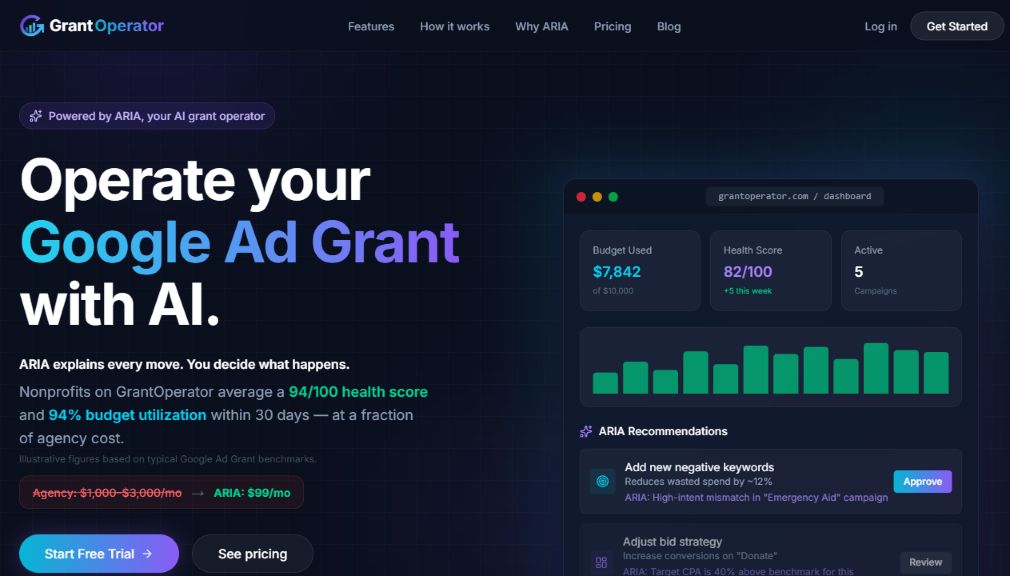
GrantOperator presents ARIA as an assistant for auditing campaigns, explaining proposed changes, monitoring issues and tracking grant use. Its advertised workflow lets the manager review, edit or reject recommendations before the platform applies approved changes and records them.
Price: The website advertises Co-Pilot at $99/month and a 14-day trial. Confirm the current plan inclusions, account limits and billing terms before connecting an account; the public page reviewed did not provide a complete tier-by-tier specification.
What to clarify: Request a demonstration of the approval controls, supported change types and audit history. Check how erroneous changes are reversed. These are published product claims, not features tested in a live account for this comparison. Illustrative dashboards or projected improvements should not be treated as verified customer outcomes.
Which Ad Grants tool should a nonprofit choose?
The most useful distinction is not “AI versus no AI.” It is what the organization receives and what work remains afterward. An audit, a prepared campaign and an implemented campaign are different deliverables.
For a free account audit and clearer reporting
Start with Ad Grants Toolkit if the priority is to identify account issues and understand performance without a subscription. There are other ongoing free specialist options in the table, so the toolkit should not be described as the only free Ad Grants-specific product.
Compare the usefulness of the findings rather than the number of checks. One accurate warning about a broken conversion setup can matter more than dozens of low-priority recommendations. Useful output should identify the affected item, explain why it matters and make the next investigation clear.
For recurring monitoring and an organized action list
An audit describes a point in time. Monitoring is more useful when the requirement is to notice new problems between reviews. Look at the paid monitoring and recommendation workflows in the shortlist, and decide whether the team will actually respond to alerts.
Before subscribing, ask to see an example of an urgent alert and a routine report. Establish who receives them, which events trigger them and how often they are sent. An inbox full of undifferentiated warnings is not the same as a usable monitoring process.
For building or applying campaign changes
Separate software that prepares recommendations from software that can publish them. A manager comfortable working in Google Ads may prefer to review a report and implement useful suggestions personally. A team constrained by repetitive campaign preparation may value a publishing workflow more.
Require a clear answer to three questions: what can change, who approves it and where the change is recorded. Do not infer those controls from the word “automation.” The same label can describe anything from an emailed report to software with permission to modify a live account.
For a team that needs human implementation
Choose by service scope as well as the software interface. Some products add specialist review or hands-on implementation in higher tiers. Others leave the entire action list with the nonprofit.
Identify the missing capability before paying: campaign strategy, conversion tracking, website development and routine account editing are not the same service. If nobody has time to act on recommendations, another diagnostic dashboard may not solve the problem. A scoped consultation or management arrangement may be more useful.
How to evaluate a specialist tool before committing
Use a small, relevant test rather than connecting every account immediately. The purpose is to assess the quality of the workflow, not to manufacture a higher score or more grant spend.
- Define the problem. Write down the decision the tool should help make: which campaigns need attention, whether important actions are measured, or how to prepare a new campaign efficiently.
- Review access before connecting. Read the authorization screen and distinguish reporting access from permission to change campaigns. Check additional connections to Analytics, the website or other services.
- Inspect a sample recommendation. Look for supporting data, the affected campaign or page, and a reason the proposed change fits the nonprofit’s mission and audience.
- Test the handoff. Can the account owner understand and implement the recommendation? If the tool publishes changes, can the owner review the exact changes first?
- Check the commercial terms. Confirm the recurring price, annual commitment, trial conversion, additional-account charges, support and cancellation arrangements.
- Judge the result. Assess whether the product helped resolve a real problem or save useful work. Do not rely only on the tool’s own score to evaluate the value of its recommendations.
For a meaningful comparison, use the same account, date range and goal definitions. Different conversion settings or reporting windows can make two dashboards appear to disagree even when both are reading the same underlying account.
What an Ad Grants tool should not promise
A guaranteed compliant account
Software can flag detectable risks, but it cannot guarantee that Google will never suspend an account. Website policies, eligibility, campaign choices and tracking implementation require continuing attention. A green indicator should prompt confidence in the checks performed, not an assumption that every possible issue has been ruled out.
Check whether a warning represents an actual requirement, a general best practice or an optional optimization idea. Those categories should not be presented as interchangeable. This Ad Grants requirements guide provides a starting point for understanding the distinction.
Guaranteed results from AI-generated recommendations
An AI-written ad can still make an inaccurate claim, target an unsuitable audience or send visitors to the wrong page. A suggested negative keyword can remove useful searches as well as irrelevant ones. An estimated improvement is a hypothesis, not a measured result.
Review proposed changes against the nonprofit’s services, geography and capacity. This is especially important for sensitive services where misleading wording can affect people seeking help. Do not send account or supporter information to an external AI service without appropriate authorization.
Success measured only by grant spend
Grant utilization is useful context, but spending advertising credit is not the same as raising money or helping people. Evaluate completed actions and their quality. More traffic is not an improvement if it mainly produces unsuitable inquiries or if an inflated conversion count hides weak results.
Before optimizing around a dashboard, check how the underlying outcomes are measured. A tested conversion setup is more important than an impressive-looking report.
Generic tools that support an Ad Grants workflow
Tools that are not specific to Ad Grants can also help with tasks such as campaign setup, conversion tracking and website troubleshooting. These options complement the specialist tools above:
- Google Ads Editor: Useful for reviewing and uploading bulk changes, including suitable files prepared by a specialist product.
- Keyword Planner and Search Console: Additional sources of search ideas and demand context; organic data and forecasts do not predict grant performance.
- GA4 and Google Tag Manager: Help implement and inspect measurement. They still require correct event definitions and testing.
- Google Data Studio, formerly Looker Studio: Useful for shareable dashboards once the source data is trustworthy.
Use them when a specific task requires them. There is no need to assemble a large software stack before running a useful grant-specific audit.
Frequently asked questions
What is the best free Google Ad Grants tool?
Ad Grants Toolkit is a strong choice for a free combination of Ad Grants audits, performance reports and account-based AI prompts. There are other free specialist options, including a free audit tier and a limited campaign-planning tier among the products above. Compare the functions that remain free after any trial ends.
Is an Ad Grants audit tool the same as management software?
No. An audit identifies issues and opportunities. Management software may also build or publish campaigns, while a software-assisted service may include people who implement changes. Check the “who makes changes?” column before comparing prices.
Can these tools replace an Ad Grants manager?
They can reduce parts of the workload, but responsibility still needs an owner. Someone must check the relevance of recommendations, validate important conversions and decide what the organization wants to achieve. A self-service product is most useful when the team has capacity to act on its output.
Should a nonprofit choose the product with the most checks?
Not on that basis alone. Providers count checks differently, and a larger total does not establish greater accuracy or coverage. Judge whether the tool detects important issues, explains them clearly and avoids presenting optional suggestions as mandatory rules.
Do all specialist tools support Performance Max?
Do not assume so. Support can differ between auditing, reporting, creating campaigns and editing them. Ask about the exact function needed. Google’s current Ad Grants campaign guidance includes Search and Performance Max, with grant-funded Performance Max using eligible Search inventory and Google Maps placements—not every commercial Performance Max channel.
Related comparisons
Software does not replace someone responsible for the account. If your team needs implementation or ongoing management, compare Google Ad Grants agencies and consultants.
To build the skills to interpret findings and apply changes, compare Ad Grants courses and training.
About this comparison
Prices and feature descriptions were checked against provider pages on September 7–8, 2026.
NonProfit Top researched and wrote this guide using facts published by the providers and Google. The main shortlist is limited to products explicitly designed for Google Ad Grants; general advertising, analytics and reporting utilities are mentioned only as supporting tools. Products were assessed using the same comparison fields: published price, purpose, capabilities, implementation responsibility, and limitations to clarify. Recommendations are editorial judgments about fit, not measured performance rankings. No side-by-side account test was conducted, and provider-reported results are not treated as guarantees.
NonProfit Top is also the publisher of one of the tools included in the comparison. Readers should consider that commercial relationship when evaluating the guide. No provider paid for inclusion or placement in this comparison.
Related NonProfit Top resources include the free Ad Grants toolkit, online course, consulting services and free guides.